
Recommended Services


Supported Scripts

Imagine a customer searching for your business online.
They find your website, click the link—and receive:
“This site can’t be reached.”
For a business, even a short period of downtime can mean lost enquiries, missed sales and frustrated customers.
That’s why website uptime is one of the most important factors to consider when choosing web hosting in Kenya.
Hosting companies often advertise figures such as 99.9% uptime. It sounds almost perfect, but what does it actually mean?
And is 99.9% uptime enough for your Kenyan website?
Let’s break it down.
What Is Website Uptime?
Website uptime refers to the amount of time a website or hosting server is available and accessible to visitors.
For example, if your website remains accessible throughout the month, it has very high uptime.
Downtime is the opposite.
It occurs when your website or server becomes unavailable to visitors.
Downtime can happen because of:
- Server failures
- Hardware problems
- Network outages
- Software errors
- Cybersecurity incidents
- Maintenance
- DNS problems
- Application errors
- Resource exhaustion
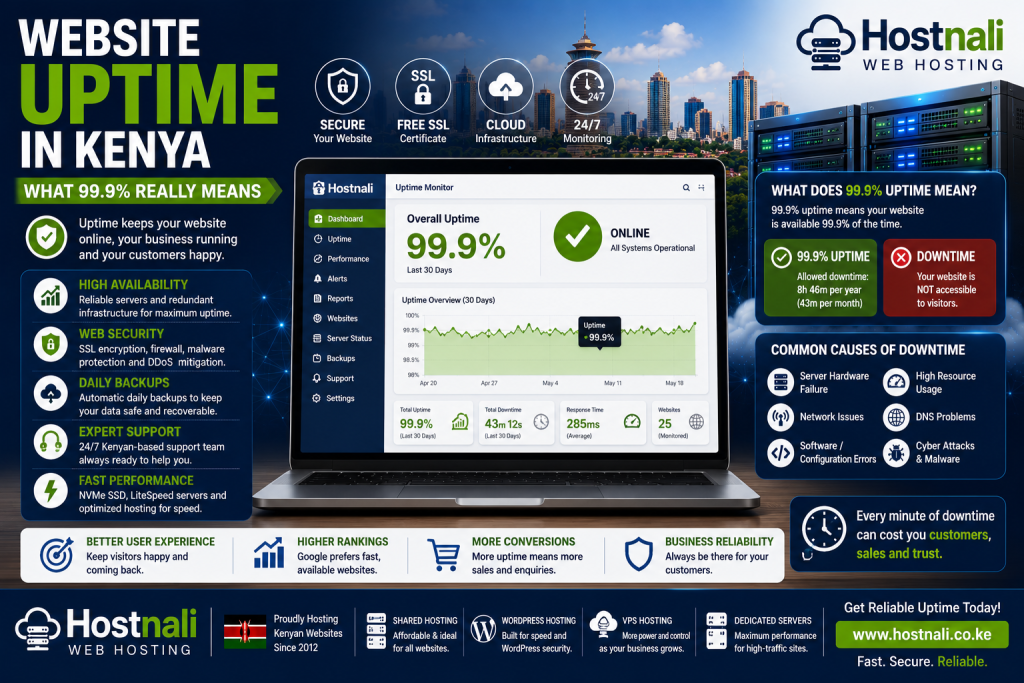
What Does 99.9% Uptime Mean?
When a hosting provider says it offers 99.9% uptime, it means the target is for the service to be available for approximately 99.9% of the relevant measurement period.
That remaining 0.1% may sound tiny.
But over a year, it represents approximately:
8 hours and 46 minutes of downtime.
Over a month of 30 days, it is approximately:
43 minutes of downtime.
So 99.9% is very good—but it does not mean your website can never go offline.
99.9% vs 99.99% Uptime
That extra “9” makes a surprisingly large difference.
| Uptime | Approx. annual downtime |
|---|---|
| 99% | 3 days, 15 hours |
| 99.9% | 8 hours, 46 minutes |
| 99.99% | 52 minutes |
| 99.999% | 5 minutes |
This is why businesses with highly critical applications may look for infrastructure designed around much higher availability.
For a normal business website, however, 99.9% can be a reasonable target when supported by good infrastructure and monitoring.
Why Uptime Matters for Kenyan Businesses
Uptime is particularly important if your website is an important part of your business.
Consider an ecommerce store.
If the website goes offline during a major promotion, customers cannot:
- Browse products
- Add products to their carts
- Place orders
- Contact the business
The same applies to other organisations.
Schools
Students and parents may need access to:
- Applications
- Portals
- Announcements
- Learning resources
NGOs
Visitors may need to:
- Learn about programmes
- Submit applications
- Donate
- Contact the organisation
Businesses
Customers may use websites to:
- Find contact information
- Request quotations
- Book services
- Purchase products
Website availability therefore directly affects the customer experience.
Is 99.9% Uptime Guaranteed?
This is an important question to ask your hosting provider.
There is a difference between:
“Our infrastructure targets 99.9% uptime.”
and:
“We provide a 99.9% uptime service-level guarantee under defined terms.”
If a provider advertises an uptime guarantee, read the terms carefully.
Check:
- What is included?
- What is excluded?
- How is downtime measured?
- Are scheduled maintenance periods excluded?
- Are application-level failures included?
- Is compensation available?
- What conditions apply?
Don’t judge a hosting company solely by the percentage displayed on its website.
What Can Cause Website Downtime?
There isn’t one single cause of downtime.
1. Server Hardware Failure
Physical components can fail.
Hosting providers need systems and procedures for detecting and responding to hardware problems.
2. Network Problems
A website can become inaccessible when there are network connectivity problems between users and the hosting infrastructure.
3. Software Problems
Server software, applications or configuration errors can cause websites to stop working.
4. Resource Limits
A website can experience problems when it consistently exceeds available:
- CPU
- RAM
- Storage
- Database resources
- PHP workers
- Other hosting limits
This is particularly relevant to WordPress websites with heavy plugins or sudden traffic increases.
5. DNS Problems
Incorrect DNS records can make a perfectly functioning server appear inaccessible.
Common DNS issues include:
- Incorrect A records
- Incorrect nameservers
- Expired domains
- Incorrect MX records
- DNS propagation problems
6. Website Errors
Sometimes the hosting server is working perfectly, but the website itself has a problem.
For example:
- Broken WordPress plugins
- PHP errors
- Database problems
- Incorrect
.htaccessrules - Failed updates
This is why a hosting uptime figure doesn’t necessarily mean every website hosted on the server will always function correctly.
Hosting Uptime vs Website Uptime
These terms are often confused.
Hosting Uptime
Refers primarily to the availability of the hosting infrastructure or service being measured.
Website Uptime
Refers to whether your particular website is accessible and functioning.
Your hosting server could be online while your website is showing:
500 Internal Server Error
The server is technically available, but your website isn’t functioning correctly.
Therefore, businesses should monitor their actual websites rather than relying only on the hosting company’s uptime claim.
How Hosting Companies Improve Uptime
Reliable hosting infrastructure can use multiple techniques to reduce downtime.
Redundant Infrastructure
Important systems can have backup components so that one failure doesn’t necessarily take everything offline.
Server Monitoring
Automated monitoring can detect problems and alert technical teams.
Regular Maintenance
Proactive maintenance can help prevent certain failures.
Backup Systems
Backups allow websites and data to be restored when problems occur.
Network Redundancy
Multiple network paths can improve resilience.
Resource Management
Proper allocation and monitoring of server resources can reduce performance-related failures.
How to Monitor Your Website Uptime
You don’t have to wait for a customer to tell you that your website is offline.
You can use website monitoring tools that periodically check your website.
They can notify you when:
- Your website goes offline
- Your website becomes available again
- Response times become unusually slow
For important business websites, monitoring is highly recommended.
Website Speed and Uptime Are Different
A website can be online but extremely slow.
For example:
Website A: Available but takes 12 seconds to load.
Website B: Available and loads in 2 seconds.
Both technically have uptime.
But the second website provides a much better user experience.
Therefore, don’t evaluate hosting based on uptime alone.
Also consider:
- Server response time
- Storage technology
- CPU resources
- RAM
- Caching
- CDN compatibility
- Web server technology
Uptime and SEO
Search engines need to access your website to crawl and index its content.
Repeated or prolonged availability problems can create SEO challenges.
However, don’t make the mistake of thinking:
“99.9% uptime automatically means excellent SEO.”
SEO depends on many factors, including:
- Content quality
- Technical SEO
- Website speed
- Mobile usability
- Internal linking
- Search intent
- Backlinks
- Website security
- Crawlability
Uptime is one part of the technical foundation.
How to Choose Reliable Web Hosting in Kenya
When comparing hosting companies, don’t ask only:
“Do you offer 99.9% uptime?”
Ask more detailed questions.
1. What infrastructure do you use?
Look for modern, professionally managed infrastructure.
2. How do you monitor servers?
Reliable monitoring helps providers identify problems quickly.
3. What happens when hardware fails?
Ask whether there are recovery and redundancy procedures.
4. Are backups included?
Backups can be extremely important when recovering from website problems.
5. What technical support is available?
Fast support can reduce the impact of problems.
6. Can I upgrade resources?
Growing websites may need additional resources.
Why NVMe SSD Hosting Can Help
Modern storage technology can contribute to website performance.
NVMe SSD storage can provide faster storage access than traditional hard drives and is useful for workloads involving:
- WordPress
- Databases
- Ecommerce
- Web applications
However, storage speed alone doesn’t guarantee uptime.
A reliable hosting environment requires more than fast storage.
Why Hostnali for Reliable Hosting?
Hostnali provides hosting solutions for Kenyan websites and businesses.
When evaluating Hostnali or any hosting provider, businesses should consider the complete infrastructure rather than looking at a single metric.
Important areas include:
- Uptime
- Server performance
- NVMe SSD storage
- Security
- Backups
- Technical support
- Scalability
- Hosting resources
Hostnali offers hosting options ranging from standard hosting to VPS and dedicated servers, allowing businesses to choose a solution based on their website requirements.
What to Do When Your Website Goes Down
If your website becomes unavailable, don’t immediately assume the hosting server has failed.
Follow these steps.
Step 1: Check Whether the Problem Is Widespread
Try accessing the website from another network or device.
Step 2: Check Your Domain
Make sure the domain hasn’t expired.
Step 3: Check DNS
Verify that your DNS records point to the correct server.
Step 4: Check Hosting Resources
Look for CPU, RAM, storage or other resource-limit errors.
Step 5: Check Recent Changes
Ask yourself:
- Did I install a plugin?
- Did I update WordPress?
- Did I change DNS?
- Did I modify
.htaccess? - Did I change PHP settings?
Step 6: Contact Support
If the issue appears server-related, contact your hosting provider.
How to Reduce Your Own Website Downtime
Your hosting company isn’t the only factor.
You can also reduce website-related downtime by:
Keeping WordPress Updated
Update WordPress core, themes and plugins.
Using Reliable Plugins
Avoid abandoned or poorly maintained plugins.
Maintaining Backups
Keep reliable backups that can be restored when needed.
Monitoring Resources
Watch CPU, RAM and storage usage.
Securing Administrator Accounts
Use strong passwords and two-factor authentication.
Testing Updates
Where possible, test significant changes before applying them to a production website.
Is 99.9% Uptime Enough for Your Website?
It depends on your business.
Personal Blog
99.9% is generally more than adequate.
Small Business Website
99.9% can be a reasonable target.
Ecommerce Store
You may want to place greater emphasis on availability, monitoring and redundancy.
Financial or Mission-Critical Application
Higher availability requirements may justify more advanced infrastructure.
Large Enterprise
You may need customised infrastructure, redundancy and service-level agreements.
The right level of availability depends on the financial and operational impact of downtime.
Frequently Asked Questions
What does 99.9% uptime mean?
99.9% uptime means a service is intended to be available for 99.9% of the measurement period. Over a year, that corresponds to approximately 8 hours and 46 minutes of potential downtime.
Is 99.9% uptime good?
Yes. 99.9% is generally considered a strong uptime target for many websites, although businesses with critical applications may require higher availability.
Can a website have 100% uptime?
It’s possible to record 100% uptime over a particular measurement period, but no provider should be assumed to be completely immune from outages.
Does hosting uptime guarantee website uptime?
Not necessarily. Your website can experience application, WordPress, database or DNS problems even while the underlying hosting infrastructure remains operational.
Does uptime affect SEO?
Website availability is part of technical website health. Extended or repeated downtime can create crawling and user-experience problems, but uptime alone doesn’t determine search rankings.
What is the difference between 99.9% and 99.99% uptime?
99.9% allows approximately 8 hours and 46 minutes of downtime per year, while 99.99% allows approximately 52 minutes.
Final Thoughts
99.9% uptime sounds like a tiny difference from 100%, but it represents almost nine hours of potential downtime over a year.
For most Kenyan business websites, 99.9% can be a solid target. But the uptime percentage should never be the only factor you consider.
Look at the bigger picture:
Reliable infrastructure + monitoring + backups + security + performance + technical support.
Also remember that your hosting provider can have excellent infrastructure while your own website still goes offline because of a plugin, database, DNS or configuration problem.
Choose a hosting provider that offers reliable infrastructure and the tools you need to keep your website available as your business grows.
Explore Hostnali hosting solutions and choose a hosting environment suited to your website’s requirements.