
Recommended Services


Supported Scripts

Website speed is one of the most important parts of running a successful WordPress website.
Whether you operate an online shop, business website, blog, portfolio, school website or NGO website, visitors expect pages to load quickly.
A slow website can lead to:
- Frustrated visitors
- Higher bounce rates
- Fewer enquiries
- Abandoned shopping carts
- Poor user experience
- Lower conversions
For Kenyan businesses competing for customers online, improving WordPress performance should therefore be a priority.
The good news is that you don’t necessarily need to rebuild your entire website to make it faster.
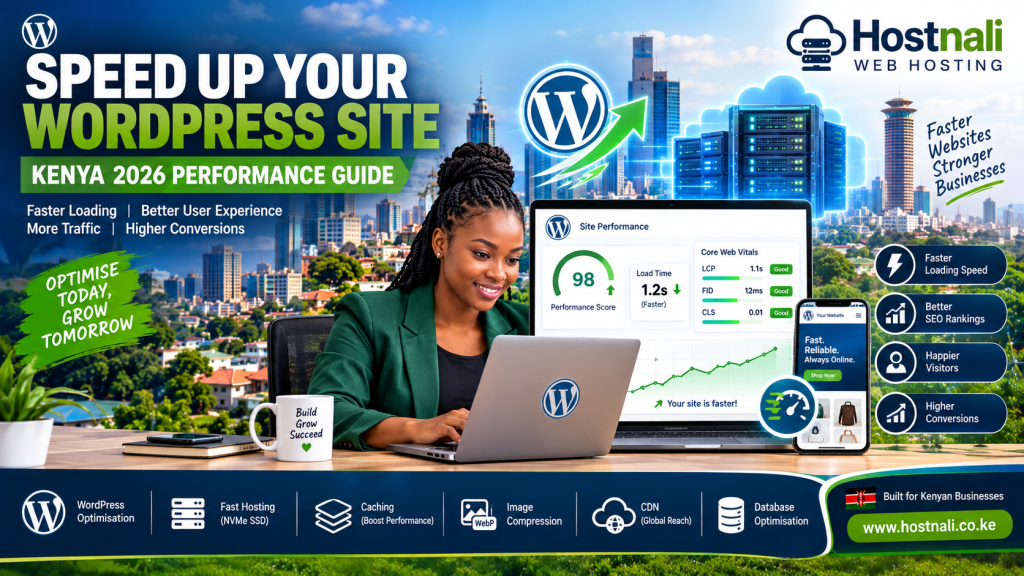
In this guide, we’ll explain practical ways to speed up your WordPress site in Kenya in 2026.
Why Is Your WordPress Website Slow?
There isn’t always one reason for a slow website.
Common causes include:
- Poor-quality hosting
- Large images
- Too many plugins
- Unoptimised themes
- Lack of caching
- Slow databases
- Excessive JavaScript
- Unnecessary CSS
- Poorly configured WordPress
- Slow external services
- No CDN
- Outdated PHP or WordPress software
The first step is identifying the actual problem instead of randomly installing optimisation plugins.
1. Choose Fast WordPress Hosting
Your hosting environment provides the foundation for your website’s performance.
If your server is slow or overloaded, website optimisation can only do so much.
When choosing WordPress hosting in Kenya, look for:
- Fast SSD or NVMe SSD storage
- Adequate CPU resources
- Sufficient RAM
- Reliable network infrastructure
- Server-side caching
- Modern PHP versions
- Reliable uptime
- Good technical support
A well-optimised website hosted on poor infrastructure can still perform badly.
2. Use NVMe SSD Storage
Storage technology can affect server performance.
NVMe SSD storage is designed to provide fast data access and can be particularly useful for websites that rely heavily on databases.
This can benefit:
- WordPress
- WooCommerce
- Blogs
- Ecommerce websites
- Business applications
However, NVMe alone doesn’t guarantee a fast website.
Your hosting environment, WordPress configuration and website content all matter.
3. Enable Page Caching
Caching is one of the most effective ways to improve WordPress performance.
Without caching, a visitor may trigger WordPress to:
- Process PHP
- Query the database
- Load plugins
- Generate the page
- Send the result to the visitor
With caching, a previously generated version of the page can often be served more quickly.
Depending on your hosting environment, you may use:
- Server-level caching
- LiteSpeed Cache
- WordPress caching plugins
- Object caching
- Browser caching
Caching configuration should be compatible with your hosting environment.
4. Optimise Your Images
Large images are one of the most common reasons WordPress websites become slow.
Imagine uploading a photograph that is:
5 MB
to a page where it only needs to appear at:
800 pixels wide.
Visitors may have to download much more data than necessary.
Before uploading images:
- Resize them
- Compress them
- Use appropriate dimensions
- Choose suitable formats
Modern formats such as WebP can often reduce image file sizes significantly.
5. Don’t Upload Huge Images Directly From Your Phone
Modern smartphones can produce extremely large photographs.
Before uploading product photographs or business images to WordPress, resize them.
For example, an image intended for a product page doesn’t necessarily need to be a 6000-pixel-wide photograph.
Reducing image dimensions can significantly reduce page weight.
This is particularly useful for ecommerce websites with many product images.
6. Use WebP Images
WebP is a modern image format supported by modern browsers.
It can provide smaller image files while maintaining good visual quality.
Instead of serving a large JPEG or PNG unnecessarily, your WordPress optimisation setup may be able to generate and serve WebP versions.
This can reduce the amount of data visitors need to download.
7. Use Lazy Loading
Lazy loading means images and other resources can be loaded when they are needed rather than downloading everything immediately.
For example, if a page contains:
30 product images
a visitor who only sees the first five images doesn’t necessarily need all 30 downloaded immediately.
Lazy loading can reduce the initial page load.
WordPress supports lazy-loading features, while optimisation plugins can provide additional configuration.
8. Reduce Unnecessary Plugins
Plugins provide useful functionality, but installing too many can make website management more complicated and may affect performance.
Review your plugins regularly.
Ask:
Do I actually need this plugin?
Remove plugins that are:
- Unused
- Duplicating another plugin
- Poorly maintained
- No longer necessary
- Causing conflicts
Don’t install five different plugins to perform tasks that one well-maintained plugin can handle.
9. Keep WordPress Updated
Keep your:
- WordPress core
- Themes
- Plugins
- PHP version
up to date where compatibility allows.
Updates can include:
- Performance improvements
- Security fixes
- Bug fixes
- Compatibility improvements
Always maintain backups before making major changes.
10. Choose a Lightweight Theme
Your WordPress theme can have a significant impact on page performance.
Some themes include:
- Large JavaScript libraries
- Complex animations
- Multiple sliders
- Unused features
- Large CSS files
- Heavy page-builder elements
A theme with more features isn’t automatically better.
Choose a theme that provides the functionality your website actually needs.
11. Optimise Elementor and Page Builders
Page builders such as Elementor make it easier to create attractive WordPress websites.
However, excessive use of:
- Animations
- Nested sections
- Large background images
- Multiple widgets
- Custom scripts
- Unnecessary elements
can increase page complexity.
To improve performance:
- Remove unnecessary widgets
- Reduce animations
- Optimise images
- Avoid excessive nesting
- Use reusable design elements
- Keep pages focused
Beautiful doesn’t have to mean slow.
12. Use a Content Delivery Network
A Content Delivery Network, or CDN, stores or serves website resources through distributed servers.
This can help deliver static content such as:
- Images
- CSS
- JavaScript
- Fonts
to visitors from infrastructure that may be geographically closer to them.
For websites serving visitors across Kenya and internationally, a CDN can be useful.
Popular CDN solutions include Cloudflare and other content delivery providers.
13. Optimise Your WordPress Database
WordPress websites store information in a database.
Over time, the database can accumulate unnecessary data such as:
- Old revisions
- Spam comments
- Temporary data
- Unused metadata
- Expired transients
Database optimisation can help keep WordPress organised.
However, always back up your database before performing database cleanup.
14. Reduce WordPress Revisions
WordPress can store revisions of posts and pages.
For example, editing one article 50 times can result in many stored revisions.
While revisions can be useful, excessive historical data can increase database size.
Configure revision management appropriately rather than allowing unlimited revisions for every piece of content.
15. Optimise Your Homepage
Your homepage is often one of the most visited pages on your website.
Avoid filling it with unnecessary elements.
A homepage can become heavy when it contains:
- Multiple sliders
- Huge images
- Autoplay videos
- Animated backgrounds
- Social media feeds
- Numerous plugins
- Excessive fonts
Keep your homepage focused on the most important information.
16. Limit External Scripts
External services can affect loading times.
Examples include:
- Analytics
- Advertising networks
- Social media widgets
- Chat tools
- Tracking scripts
- External fonts
Only load the services you actually need.
If a third-party script isn’t providing meaningful value, consider removing it.
17. Optimise Fonts
Using too many fonts and font weights can increase page requests.
For example, a website using:
- 5 font families
- 8 font weights
- Multiple font styles
may load significantly more resources than necessary.
Choose a small number of fonts and weights.
Where appropriate, consider locally hosted fonts to reduce dependence on external requests.
18. Use GZIP or Brotli Compression
Compression reduces the size of files transferred between your server and visitors.
Common compression technologies include:
- GZIP
- Brotli
They can compress text-based resources such as:
- HTML
- CSS
- JavaScript
- SVG
Your hosting environment may already provide compression automatically.
19. Keep PHP Updated
WordPress runs primarily on PHP.
Using a modern, supported PHP version can provide performance, security and compatibility benefits.
Before changing PHP versions:
- Create a backup.
- Check theme compatibility.
- Check plugin compatibility.
- Test the website.
- Monitor for errors.
Don’t change PHP versions blindly on a production website.
20. Use Object Caching Where Appropriate
Object caching can reduce repeated database queries.
Technologies such as Redis or Memcached can be used in suitable hosting environments.
Object caching can be particularly useful for:
- Ecommerce
- Large WordPress websites
- Dynamic websites
- Websites with heavy database activity
It may not be necessary for a very small website.
21. Optimise WooCommerce
If you operate an online store, WooCommerce can generate more database activity than a basic WordPress website.
For WooCommerce websites:
- Optimise product images
- Use appropriate hosting resources
- Keep plugins under control
- Optimise the database
- Use caching carefully
- Monitor server resources
- Keep WooCommerce updated
Be careful with caching dynamic pages such as:
- Cart
- Checkout
- My Account
These pages often require special handling.
22. Monitor Your Website Performance
Don’t optimise your website based purely on assumptions.
Use performance-testing tools to measure:
- Page loading time
- Largest Contentful Paint
- Cumulative Layout Shift
- Interaction to Next Paint
- Total page size
- Number of requests
Run tests before and after major changes.
This helps you identify whether your optimisation actually improved the website.
23. Check Your Hosting Resource Usage
If your WordPress website is constantly reaching hosting limits, optimisation alone may not solve the problem.
Check:
- CPU usage
- RAM usage
- Storage
- Entry processes
- PHP workers
- Database usage
If your website has outgrown its current hosting plan, consider upgrading.
Sometimes the best performance improvement is simply providing the website with sufficient resources.
24. Avoid Installing Too Many Optimisation Plugins
It’s tempting to install several performance plugins.
For example:
- One caching plugin
- One image plugin
- Another minification plugin
- Another database plugin
- Another lazy-loading plugin
Unfortunately, these plugins can conflict.
Start with a clear optimisation strategy and configure the tools you actually need.
25. Use a Reliable Hosting Provider
The hosting company remains an important part of WordPress performance.
Look for a provider offering:
- Modern server hardware
- Reliable infrastructure
- Fast storage
- Adequate resources
- Security
- Backups
- Technical support
- Scalable hosting options
Hostnali provides hosting solutions for Kenyan websites, businesses and developers.
When selecting a hosting plan, choose one that matches your website’s actual resource requirements.
A Simple WordPress Speed Optimisation Checklist
Use this checklist when optimising your website:
☐ Choose reliable WordPress hosting
☐ Use fast SSD or NVMe storage
☐ Enable caching
☐ Compress images
☐ Use WebP where appropriate
☐ Resize large images
☐ Enable lazy loading
☐ Remove unnecessary plugins
☐ Keep WordPress updated
☐ Use a lightweight theme
☐ Optimise Elementor/page-builder pages
☐ Use a CDN where appropriate
☐ Optimise the database
☐ Limit external scripts
☐ Optimise fonts
☐ Enable compression
☐ Keep PHP updated
☐ Monitor hosting resources
☐ Test website performance regularly
What If Your Website Is Still Slow?
If you’ve implemented basic optimisation and the website remains slow, investigate further.
The problem may be:
- Poor hosting
- Insufficient resources
- A problematic plugin
- A slow database query
- External scripts
- Poor theme code
- Large page size
- Server configuration
- Network latency
Don’t simply keep adding optimisation plugins.
Identify the bottleneck first.
How Fast Should a WordPress Website Be?
There isn’t one universal loading-time number that guarantees a good website experience.
Your goal should be to provide a fast, stable and responsive experience for real users.
Pay attention to:
- Core Web Vitals
- Server response time
- Mobile performance
- Page weight
- Interaction responsiveness
- Real-world user experience
A website should be tested on mobile devices and realistic network conditions—not only on a powerful office computer.
Why Website Speed Matters for Kenyan Businesses
A fast website can make it easier for customers to:
- Find your products
- Read your content
- Contact your business
- Complete purchases
- Navigate your website
For Kenyan businesses relying on mobile users, performance on mobile devices and different network conditions is especially important.
A website that looks beautiful on a desktop but takes too long to load on a mobile connection can still lose customers.
Frequently Asked Questions
How can I speed up my WordPress site?
Start with reliable hosting, image optimisation, caching, a lightweight theme, fewer unnecessary plugins and regular performance testing.
Does hosting affect WordPress speed?
Yes. Server resources, storage technology, network infrastructure and server configuration can all affect website performance.
Is NVMe hosting faster for WordPress?
NVMe storage can improve storage performance, particularly for database-driven websites, but overall website speed depends on the complete hosting environment and website configuration.
Does Elementor slow down WordPress?
Elementor doesn’t automatically make every website slow, but complex layouts, excessive widgets, animations and unnecessary resources can increase page size and processing requirements.
Does a CDN make WordPress faster?
A CDN can improve the delivery of static resources and may reduce latency for visitors, depending on the site’s audience and CDN configuration.
How many WordPress plugins are too many?
There is no universal maximum number. Plugin quality, functionality and resource usage matter more than simply counting plugins.
Should I upgrade my hosting if WordPress is slow?
If your website is consistently reaching CPU, RAM, PHP worker or other resource limits, upgrading may help. Diagnose the problem first to make sure hosting resources are actually the bottleneck.
Final Thoughts
Learning how to speed up your WordPress site in Kenya doesn’t have to mean making dozens of complicated changes.
Start with the fundamentals:
Fast hosting + optimised images + caching + lightweight design + fewer unnecessary plugins + regular monitoring.
Then measure your results.
If your website continues to struggle, investigate the actual bottleneck rather than installing more optimisation plugins.
For growing Kenyan businesses, a good hosting foundation is especially important because your website needs to remain fast as traffic, products, content and customers increase.
Choose the right hosting environment today and optimise your WordPress website continuously as your business grows.
Explore Hostnali WordPress and web hosting solutions for your Kenyan website.