 KES
 UGX - Uganda
 TZS - Tanzania
 RWF - Rwanda
 NGN - Nigeria
 ZAR - South Africa
 USD - Zimbabwe
 GHS - Ghana
 ETB - Ethiopia
 ZMW - Zambia
 USD - International

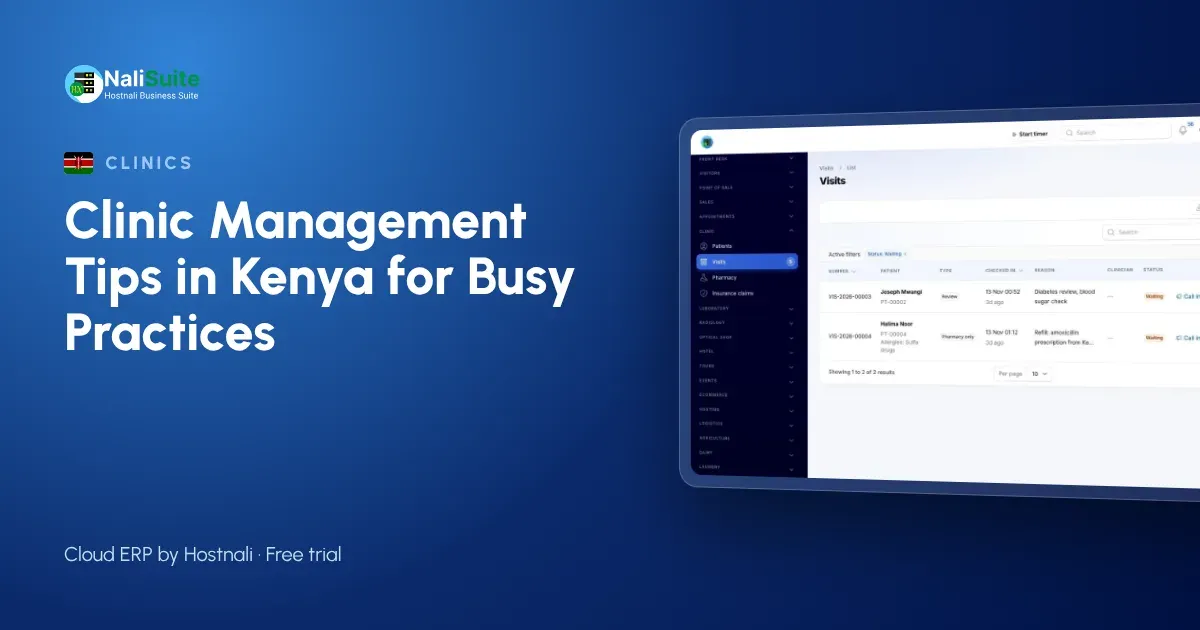
Running a clinic in Kenya means juggling walk-in patients, insurance and SHA paperwork, a pharmacy shelf and a cash drawer, usually with a small team. The clinical work is only half the job; the other half is keeping the practice organised enough to survive.
These tips focus on that second half: the queue, records, medicines, billing and the lab.
Get patient flow under control
A full waiting room is not always a sign of demand. Often it means nobody knows who arrived first, who is waiting for results and who only needs a refill. Check every patient in at reception so the queue is visible on screen, and let clinicians call the next person from their own room.
With the Clinic and Pharmacy add-on each arrival joins a waiting queue and is seen in order. Patients who booked ahead come through Appointment Booking, which gives them a confirmation and reminders, so the morning rush spreads across the day.
Keep one record per patient
Paper cards get lost, duplicated and filled in differently by each clinician. A single electronic record per patient, with allergies, long-term conditions and insurance cover on the first screen, protects patients and saves time at every visit.
At each consultation record vitals, notes and the diagnosis. The next clinician sees the full history, and you stop asking patients to repeat themselves.
Running a practice in Kenya
Many Kenyan practices serve a mix of cash, insured and SHA patients on the same day, so the bill has to show clearly who pays what. Agree with each scheme how claims are submitted and keep the supporting notes on the visit.
Patients increasingly expect to pay by M-Pesa at the counter. Taking payments against the visit, rather than to a personal phone, keeps the money and the records in the same place. Patient data is personal data under the Data Protection Act, 2019, so give staff only the access they need; the regulator is the Office of the Data Protection Commissioner (ODPC).
Run the pharmacy from real stock levels
A dispensary that relies on memory runs out of the medicines patients need most and sits on boxes that expire. Prescriptions should come out of stock the moment they are dispensed, so the count on screen is the count on the shelf.
In NaliSuite, prescriptions are dispensed from your pharmacy stock and Inventory keeps quantities per location, with lots and reorder rules. Check the fast movers weekly and reorder before you run out, not after.
Mistakes clinics make when they go digital
- Copying every old paper habit. Start from the visit: check-in, consultation, orders, dispensing, bill. Drop forms nobody reads.
- Sharing one login. Every clinician, nurse and cashier needs their own login, so you know who recorded what.
- Leaving the pharmacy for later. If medicines are not dispensed from stock, your stock report is fiction.
- Ignoring open claims. Review unpaid insurance claims every week; they are income you have already earned.
- No plan for a bad connection. Keep a mobile data backup for reception and the pharmacy.
Bill once per visit and claim the covered share
Separate bills for consultation, lab and pharmacy confuse patients and leak revenue. One bill per visit, with each service and medicine added as it happens, is easier to pay and easier to check.
Where a patient is insured, the Clinic and Pharmacy add-on raises an insurance claim for the covered share, and the patient pays the balance by M-Pesa or Airtel Money, card or bank transfer. Payments are matched to the visit, so the cashier closes the day with figures that agree.
Example: a two-doctor practice in Nakuru
Picture a medical centre in Nakuru with two doctors, a nurse, a dispensing counter and a small lab. Before, files were on cards and the pharmacy count was done once a month. After moving to one system, reception checks patients into the queue, the doctors see allergies before prescribing, medicines come off stock as they are dispensed, and the cashier collects by M-Pesa against one bill per visit. The end-of-day report shows takings, open claims and the medicines to reorder.
Give the lab its own workflow
Lab work needs more than a results column in the patient file. Tests need codes, sample types, normal ranges and someone to check results before they go out.
The Medical Lab add-on keeps a test catalogue with sample types, prices and turnaround times, labels samples with barcodes, flags results high or low as they are typed and asks a second person to verify before the PDF report is released.
Getting started without disrupting patients
Pick a quiet day to go live, import patients and opening stock the evening before, and keep a printed price list at reception for the first week. Most clinics run fully on the new system within a month; start with records, queue and billing, and add the rest once staff are comfortable.
Frequently asked questions
Can patients pay by M-Pesa?
Yes. Patients can pay their share by M-Pesa, Airtel Money, card or bank transfer, and each payment is matched to the visit.
Does it handle insurance claims?
Yes. One bill per visit, with an insurance claim for the covered share, as described in the Clinic and Pharmacy add-on.
Is the clinic software an extra cost?
Clinic and Pharmacy, Medical Lab and Appointment Booking are add-ons to any NaliSuite plan, so you add only the ones your practice needs. Plans start from Ksh 250 a month.
Can a small clinic use it, or only hospitals?
It suits small practices well: start with patient records, the queue and billing, and add the lab or online booking later as you grow.
Try NaliSuite
NaliSuite is a cloud ERP that runs your clinic’s records, pharmacy stock, billing and books in one place. See how it fits clinics, pharmacies and laboratories, then start a free trial and add the clinic add-ons when you are ready. Plans start from Ksh 250 a month; compare the plans.