 KES
 UGX - Uganda
 TZS - Tanzania
 RWF - Rwanda
 NGN - Nigeria
 ZAR - South Africa
 USD - Zimbabwe
 GHS - Ghana
 ETB - Ethiopia
 ZMW - Zambia
 USD - International

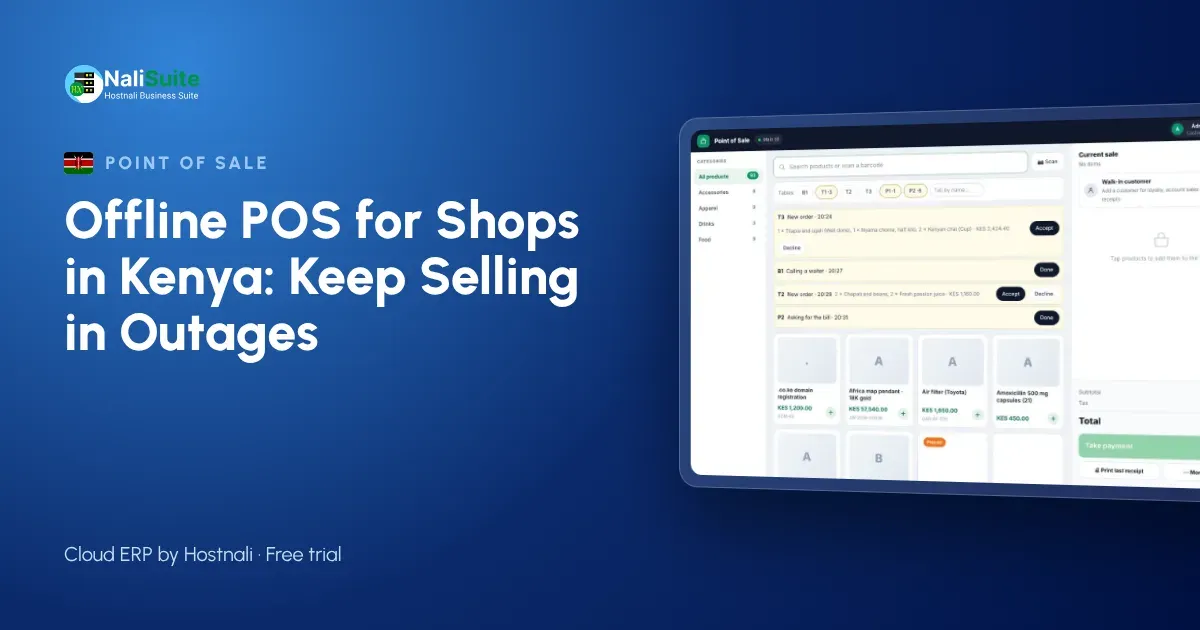
A queue at the counter in Nakuru, a customer holding out a phone ready to pay by M-Pesa, and the till screen says it cannot reach the server. Most shopkeepers in Kenya have lived this moment. A cloud till is only useful if it keeps working when the connection or the power does not. This guide explains what an offline point of sale is, how it syncs, and what to check before you choose one.
What an offline POS actually does
An offline point of sale is a cloud till that keeps working without the internet. Each sale is saved on the device itself, the receipt prints or is queued for sending, and stock is reduced locally. When the connection returns, the till uploads the stored sales in the order they happened, and your cloud records, reports and stock levels catch up.
The key word is in order. A good till never loses a sale and never counts one twice, even if the connection drops in the middle of an upload.
Why offline matters for Kenyan shops
Kenyan retail runs on mobile data. Many shops in estates, market centres and small towns rely on a single Safaricom or Airtel line or a shared router, and that line drops when the network is congested or when a power cut takes the router down. Short blackouts are still common in some areas, and a laptop on battery can keep going while the Wi-Fi box cannot.
At the same time, customers expect to pay by M-Pesa, and they expect the shop to confirm the payment before they walk away. A till that freezes in those minutes costs more than one sale: people leave the queue, and stock that went out without being recorded throws your counts off for the rest of the week.
Taking payment when you are offline
Offline mode keeps the till selling, but each payment method behaves differently without a connection. Cash is simple. Card machines need their own power and network, so choose one with a battery and its own SIM if outages are common. Mobile and online payments need a confirmation from the provider, so make it a rule to check the confirmation message before goods leave the counter, and let the till match the payment once it is online.
Whatever the method, the till should record it on the sale. That is what turns the end-of-day cash-up into a five-minute job.
The NaliSuite till records every payment method on the sale; more on mobile money and card payments here.
Example: a mini-mart in Eldoret
Take a mini-mart near a busy stage in Eldoret, with two tills and one router behind the counter. On a Saturday morning the router restarts twice. With an offline-capable till, the cashiers keep scanning bread, milk and airtime vouchers, take cash and card, and the till stores each sale on the device. When the router comes back, the sales upload in the order they were made and the stock levels catch up. The owner, checking from home, sees the morning’s takings appear a few minutes late but complete.
For M-Pesa, the safest habit during an outage is to confirm the payment message on the shop phone before handing over goods, then let the till match the payment once it is back online.
Stock that follows every sale
The biggest hidden cost of a till that stops is not the lost sale but the unrecorded one. Goods leave the shelf, the notebook gets lost, and next week’s order is wrong. When the till and inventory are one system, every sale (online or offline) takes stock out of the right location, and reorder reports stay honest.
If you run several shops, stock transfers and per-branch levels show you where to move goods before you buy more.
What to look for when you choose a till
- True offline mode. Ask the supplier to show you the till selling with the router unplugged, then reconnecting.
- Safe sync. Sales should upload in order, without duplicates, even after a long outage.
- Your hardware. It should run on the phones, tablets or laptops you already have, with standard thermal printers and barcode scanners.
- Local payments. Cash, card and the way your customers actually pay, with split payments.
- Stock that follows sales. Every sale should reduce stock in the right shop or warehouse.
- Reports you can trust. End-of-day takings by payment method, by cashier and by till.
A setup that suits a Kenyan counter
Most Kenyan shops already own what they need: an Android tablet or a laptop, a smartphone for the M-Pesa till, and a thermal printer bought on Luthuli Avenue or online. Keep the router on a small UPS so a short blackout does not take the internet down, and keep the till device charged so it can sell for hours on battery.
If you run a Lipa na M-Pesa till or paybill, decide how cashiers will confirm payments when the till is offline: the shop phone that receives the confirmation messages should sit next to the counter, not in the owner’s pocket. Train every cashier on the offline routine before a busy month like December, when queues are longest.
Frequently asked questions
Does an offline till still work with eTIMS?
Invoices and receipts that must go to KRA are sent once the till is back online. NaliSuite provides the eTIMS connection and you add your own KRA credentials; see the KRA eTIMS page for how it works.
What is an offline POS?
A point of sale that keeps recording sales without the internet and syncs them to the cloud when the connection returns.
What if two tills sell the last item while offline?
Both sales are recorded when the tills sync, so stock for that item can show below zero. Check the shelf and correct the count with a quick stock adjustment.
Try NaliSuite
NaliSuite’s offline POS is part of every plan, from Ksh 250 a month, together with inventory, invoicing and accounting. Start a free trial, unplug your router and see for yourself. See plans.