 KES
 UGX - Uganda
 TZS - Tanzania
 RWF - Rwanda
 NGN - Nigeria
 ZAR - South Africa
 USD - Zimbabwe
 GHS - Ghana
 ETB - Ethiopia
 ZMW - Zambia
 USD - International

If you send the same customers an invoice every month, you are running a recurring billing business, whether or not you call it that. Landlords, gyms, schools, security firms, cleaning companies and IT support providers across Kenya all fit.
The hard part is not the first invoice. It is the fiftieth, sent on time every month, followed up when it is late and matched when the M-Pesa payment finally arrives. This guide explains how recurring billing works and how to set it up.
Who bills on repeat?
Recurring billing suits any business that charges the same customer on a schedule:
- Landlords and property managers: monthly rent and service charges.
- Gyms and clubs: monthly or yearly memberships.
- Schools and training centres: termly fees, transport and meals.
- Service contracts: security, cleaning, garbage collection, pest control.
- Professional retainers: bookkeeping, IT support, social media management.
- Supplies on subscription: water delivery, office supplies, gas refills.
If any of these describes your income, you will save time by billing them automatically.
What goes wrong with manual billing
Most small businesses start with a spreadsheet and a reminder in the phone. That works for ten customers. At fifty, problems appear:
- invoices go out late, so payments come in late;
- some customers are forgotten for a month;
- price changes are applied to some customers but not others;
- M-Pesa payments arrive without the right account number and are hard to match;
- nobody knows exactly how much is owed until someone sits down and works it out.
How recurring billing works
You set up a subscription for each customer once: who they are, what they pay, how often and from when. From then on, the system:
- creates the invoice on the right day;
- sends it by email or WhatsApp with a link to pay;
- records the payment when it arrives;
- sends reminders if it does not.
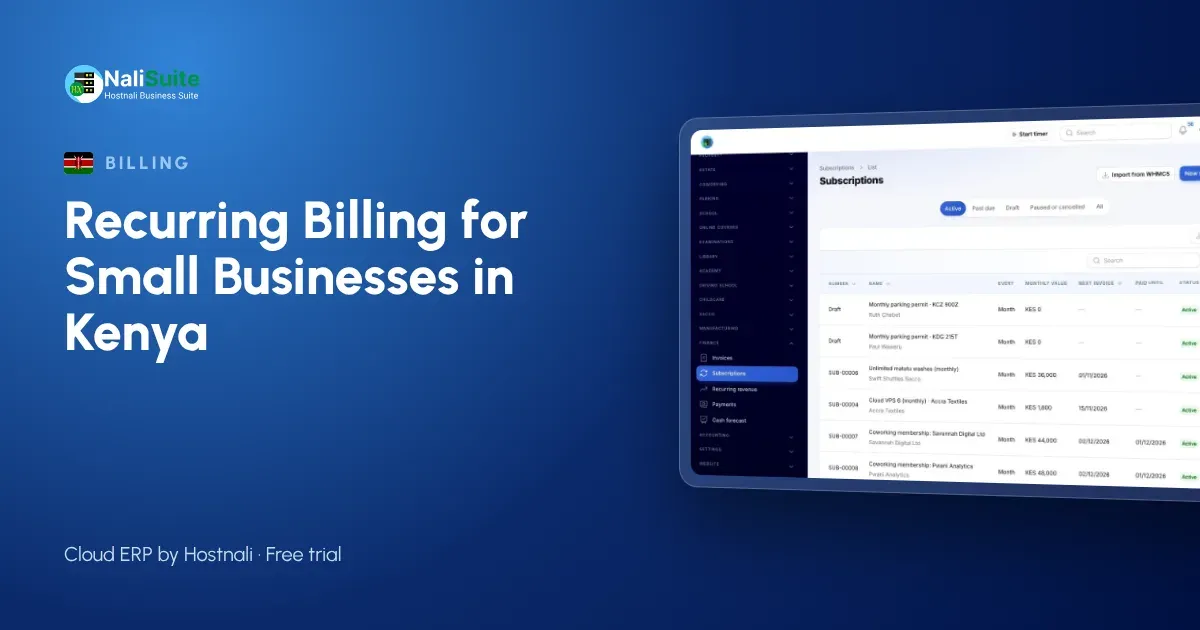
NaliSuite Subscriptions does exactly this. It supports weekly, monthly, quarterly or yearly periods with start and end dates. Each invoice carries a link to pay by M-Pesa, Airtel Money or card, and payments are matched to the invoice automatically. The mobile money payments feature explains how.
Setting it up, step by step
1. List your recurring customers
For each one: name, phone, email, what they pay for, the amount, the billing period and the start date.
2. Create your plans
Group customers who pay the same thing. A gym might have “Monthly membership”, “Quarterly membership” and “Student monthly”. A landlord might have one plan per unit type. Plans make price changes easy: change the plan, and every customer on it is updated from the next period.
3. Choose the billing day
Bill everyone on the 1st, or on each customer’s own start date. Rent is usually due on the 1st; memberships often run from the joining date.
4. Set payment terms and reminders
Decide when payment is due and when reminders go out: for example, a reminder three days before the due date, another on the day and a final one a week later.
5. Turn on self-service
Let customers see their invoices and pay them in the customer portal. If you allow it, they can also pause, upgrade or cancel their own subscription, with any difference prorated.
Recurring billing and KRA
If you are VAT-registered, each recurring invoice must carry VAT at 16% and go through KRA eTIMS like any other invoice. NaliSuite provides the eTIMS connection and your business uses its own KRA credentials; see KRA eTIMS. Because the invoices are created automatically, none are missed.
Mid-period changes
Real customers do not stay still. A gym member upgrades in the middle of the month; a tenant moves to a bigger unit on the 15th. NaliSuite works out the difference for the part of the period that is left, so the next invoice is right without manual sums.
Watch the numbers that matter
A recurring business is measured differently from a shop. NaliSuite’s dashboard shows:
- Monthly recurring revenue: what your subscriptions bring in each month.
- New and lost subscribers: who joined and who left.
- Churn: the share of customers you lose each month.
A rising churn rate is an early warning. A member who pauses twice is likely to cancel; a call from you might keep them.
Example: a gym in Thika
A gym with around 200 members used to collect fees in cash and by M-Pesa at the front desk, with a notebook to track who had paid. Staff spent the first week of each month chasing members. After moving to automatic monthly invoices with M-Pesa pay links, members paid from their phones and the front desk could see at once who was up to date. Churn became visible too: the gym noticed members leaving after three months and started a check-in call in month two.
Frequently asked questions
Can I bill some customers monthly and others yearly?
Yes. Each subscription has its own period, so you can mix weekly, monthly, quarterly and yearly billing.
What if a customer pays part of an invoice?
The payment is recorded against the invoice, and the remaining balance stays open until it is paid.
Can I import my existing customers?
Yes. You can import customer lists, and NaliSuite also imports clients and services from WHMCS for hosting and IT businesses.
Does recurring billing work for school fees?
Yes. Any amount billed on a repeating schedule, such as termly fees, can be a subscription.
Try NaliSuite
NaliSuite bills your recurring customers, collects by M-Pesa and sends eTIMS invoices automatically, with all 17 apps on every plan. Plans start at Ksh 250 a month with a free trial; see the plans.