 KES
 UGX - Uganda
 TZS - Tanzania
 RWF - Rwanda
 NGN - Nigeria
 ZAR - South Africa
 USD - Zimbabwe
 GHS - Ghana
 ETB - Ethiopia
 ZMW - Zambia
 USD - International

For most private schools in Kenya, fees are the whole budget. When collection slips, salaries, food suppliers and transport all feel it within weeks.
This guide is for bursars and school owners who want to collect fees on time without chasing every parent by phone.
Set fee structures per level, not per child
Most fee confusion starts with one-off arrangements typed into a spreadsheet. Define the fees once for each level or class: tuition, meals, transport, activities. Then every child in that level gets the same items, and only genuine exceptions are handled separately.
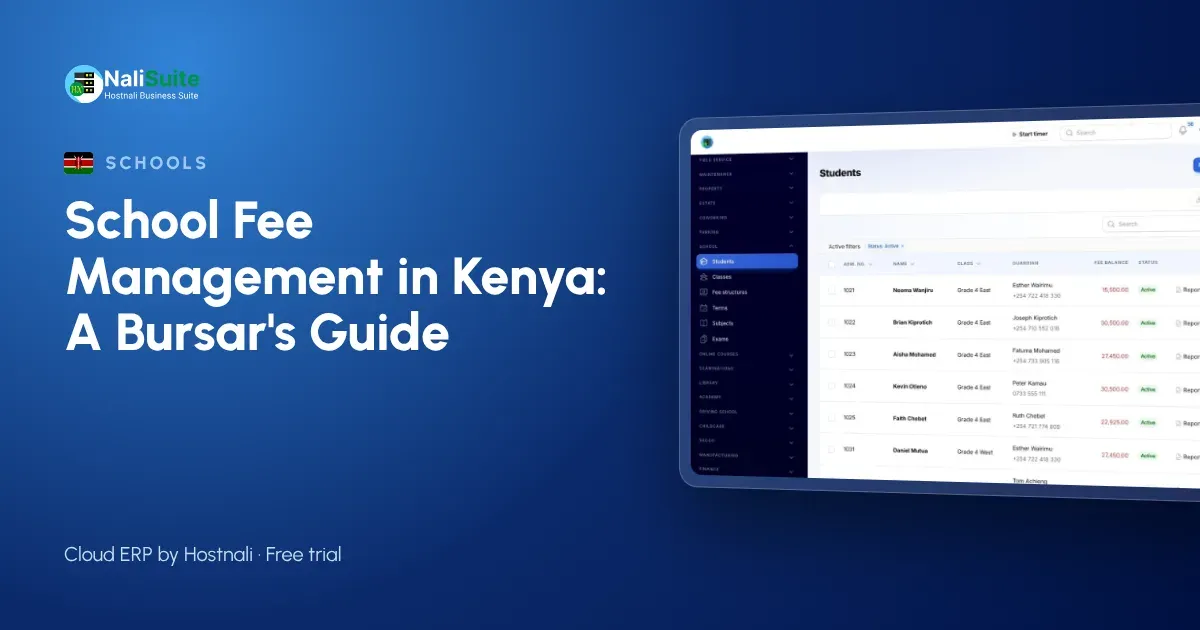
In the School Management add-on fee structures are set per level and invoiced to parents each term in one click, with discounts for siblings, staff children or bursaries recorded as discounts rather than hidden in the totals.
Be clear about instalments and discounts
Many families pay in instalments, and that is fine as long as the plan is agreed and visible. Record the agreed dates, show the remaining balance on each statement and send reminders before each instalment falls due. Record every discount with its reason, so the board can review the total given each term.
Invoice every family at the start of term
Sending fee statements late is the quickest way to collect late. Raise every invoice on the first day of term, or before it, so parents know the amount and the due date while they plan their spending.
From the fee structures, invoices for the whole school are raised in one click and sent by email or WhatsApp with a pay link through Invoicing.
Fees in Kenyan schools
Kenyan parents commonly pay fees by M-Pesa, often in instalments across the term. Matching each payment to the right child is where most bursar time goes, so collect against invoices rather than to a till number with no reference.
Student and parent details are personal data under the Data Protection Act, 2019, so limit who in the office can see fee balances and contact details.
Track balances and remind early
Collecting fees is about rhythm: invoice, remind before the due date, remind again after it, then call. A list of balances by class shows the bursar who to contact first.
Parents can pay online through your payment gateways by M-Pesa or Airtel Money, card or bank transfer, and each payment is matched to the child’s invoice. Gentle reminders with the same pay link go out on the schedule you choose, and SMS or email campaigns from Marketing can reach a whole class at once.
Mistakes that slow fee collection
- Invoicing after term has started. Parents plan around the first invoice they receive.
- Accepting payments without a reference. An unmatched payment is a dispute waiting to happen.
- Hiding discounts in the totals. Record bursaries and sibling discounts as discounts so they can be reviewed.
- One reminder for everyone. Remind early payers less and long-overdue balances more.
- Keeping balances on one person’s computer. If the bursar is away, the school should still know who owes what.
Give parents their own page
Parents want to see fees, results and attendance without calling the school. A parent page answers most questions before they reach the office.
Through the Customer Portal, parents see their child’s information, invoices and statements, and pay online. Results produced in the Exams add-on can appear there too as PDF result slips.
Example: a primary school in Thika
A private primary school in Thika with 400 pupils invoiced fees in a spreadsheet and matched M-Pesa messages by hand. Now each class has a fee structure, invoices go out before opening day with a pay link, payments are matched to the child automatically and the bursar sends reminders to classes with high balances two weeks into term.
Pay teachers on time
Late salaries damage morale quickly, and they often happen because the school is waiting for fees. Knowing collections daily lets the bursar plan the payroll with confidence.
Teaching and support staff can be paid through NaliSuite Payroll, with payslips by email or WhatsApp and bank payout files. Salaries post to the books, so the board sees fees in and salaries out in one report.
Getting started in one holiday
The school holiday is the best time to switch. Load classes, students and guardians, set the fee structures, and import each family’s balance. Send the first invoices before opening day, and add registers, exams and the parent portal once fees run smoothly.
Frequently asked questions
Can parents pay school fees by M-Pesa?
Yes. Parents pay by M-Pesa, Airtel Money, card or bank transfer, and each payment is matched to their child’s invoice.
Can we pay teachers through the same system?
Yes. Payroll works out PAYE, NSSF, SHIF and the Housing Levy, and sends payslips by email or WhatsApp.
Is the school module an extra cost?
School Management and Exams are add-ons to any NaliSuite plan, so you pay only for what you use. Plans start from Ksh 250 a month.
Can we start in the middle of a term?
Yes. Import students and opening balances, set the fee structure for the next term and carry the balances forward.
Try NaliSuite
NaliSuite brings fees, registers, exams, payroll and accounts into one system for schools. See how it works for schools and colleges, then start a free trial and add the School Management add-on. Plans start from Ksh 250 a month; compare the plans.