
Contact Info

Hostnali Webhost Limited

+254 748285257

[email protected]

ORDER NOW

If you’ve recently purchased web hosting, you’ve probably come across the term cPanel. For beginners, the dashboard can look overwhelming because of the many icons and settings available.

The good news is that cPanel is designed to make website management easier. You don’t need advanced technical skills to manage your hosting account effectively.

Whether you run a business website, blog, ecommerce store, school portal, or company website, learning cPanel can save time and help you manage your website confidently.

In this guide, you’ll learn what cPanel is, its main features, and how to use it like a professional.
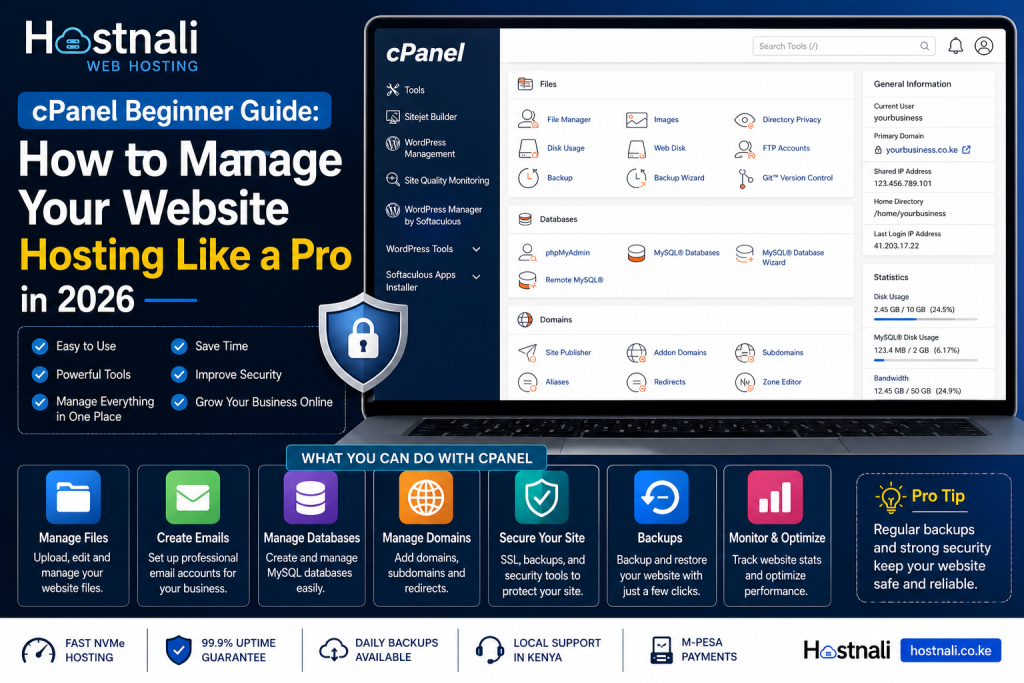
cPanel Beginner Guide: How to Manage Your Website Hosting


Quick Answer / TL;DR

  • cPanel is a hosting control panel used to manage websites.
  • It allows you to manage files, emails, databases, backups, domains, and security settings.
  • Most hosting companies provide cPanel access.
  • cPanel simplifies website administration.
  • Hostnali hosting plans include easy-to-use cPanel access.

What Is cPanel?

cPanel is a web-based hosting control panel that helps users manage websites through a simple dashboard.

Instead of using complicated server commands, cPanel provides visual tools for:

  • Website management
  • Email management
  • File management
  • Security settings
  • Database management
  • Domain management

Why cPanel Is Popular

Millions of websites use cPanel because it is:

Beginner-Friendly

No coding skills required.


Easy to Navigate

Features are organized into sections.


Saves Time

Tasks can be completed with a few clicks.


Supports Multiple Functions

Everything can be managed from one place.


Main cPanel Sections Explained

File Management

This section allows you to:

  • Upload website files
  • Edit files
  • Delete files
  • Create folders
  • Compress files

Popular tool:

File Manager


Email Management

Create professional business email addresses such as:

Functions include:

  • Creating email accounts
  • Password changes
  • Email forwarding
  • Spam filtering

Domain Management

Manage:

  • Addon domains
  • Subdomains
  • Redirects
  • Domain aliases

Database Management

Databases store website information.

Common tools:

  • MySQL Databases
  • phpMyAdmin

WordPress websites rely heavily on databases.


Security Settings

Security tools may include:

  • SSL certificates
  • IP blocking
  • Password protection
  • Two-factor authentication

Backup Tools

Backup features help protect your website.

You can:

  • Download backups
  • Restore files
  • Create manual backups

How to Log into cPanel

Typically:

Option 1

Visit:

yourdomain.com/cpanel


Option 2

Log in through your hosting dashboard.

Your hosting provider usually sends:

  • Username
  • Password
  • Login URL

after account activation.


Essential cPanel Tasks for Beginners

1. Upload Website Files

Steps:

  1. Open File Manager
  2. Navigate to public_html
  3. Upload website files
  4. Extract compressed files if necessary

2. Install WordPress

Many hosting providers offer one-click installation.

Steps:

  1. Open Softaculous Apps Installer
  2. Select WordPress
  3. Click Install
  4. Enter website details
  5. Complete installation

3. Create Business Email

Steps:

  1. Open Email Accounts
  2. Click Create
  3. Enter email name
  4. Create password
  5. Save account

4. Create Website Backups

Steps:

  1. Open Backup Wizard
  2. Choose Backup
  3. Select Full Backup
  4. Download backup

5. Manage Databases

Steps:

  1. Open MySQL Databases
  2. Create database
  3. Create user
  4. Assign permissions

Common cPanel Errors Beginners Face

Error: Disk Space Full

Possible causes:

  • Large backups
  • Too many emails
  • Unused files

Solution:

Delete unnecessary files.


Error: Website Not Loading

Possible causes:

  • Missing files
  • DNS issues
  • Incorrect configuration

Error: Database Connection Problems

Possible causes:

  • Wrong database credentials
  • Corrupt database
  • Server issues

Security Tips for cPanel Users

Protect your account by:

✅ Using strong passwords

✅ Enabling two-factor authentication

✅ Updating software regularly

✅ Avoiding suspicious downloads

✅ Monitoring account activity


Useful cPanel Features Many Users Ignore

Cron Jobs

Automate tasks.


Redirects

Forward pages automatically.


Error Logs

Identify website issues.


Metrics Tools

Analyze website traffic.


SSL Management

Secure your website with HTTPS.


Why cPanel Matters for Businesses

Business owners can:

  • Manage websites easily
  • Create professional emails
  • Perform backups
  • Install applications
  • Improve website security

Without depending on developers for every small change.


Why Choose Hostnali Hosting?

Hostnali offers hosting plans with beginner-friendly cPanel access and tools designed for businesses in Kenya.

Benefits include:

  • Easy cPanel management
  • Fast NVMe hosting
  • Free SSL certificates
  • WordPress support
  • Local support
  • M-Pesa payments

Whether you’re launching your first website or managing multiple projects, cPanel makes hosting easier.


Frequently Asked Questions

Is cPanel free?

Usually cPanel is included with hosting plans.


Do I need coding knowledge to use cPanel?

No. cPanel is designed for beginners.


Can I install WordPress using cPanel?

Yes. Most hosting providers include one-click WordPress installation.


Can I create business emails in cPanel?

Yes. Email account management is one of its major features.


Is cPanel secure?

Yes, especially when strong passwords and security settings are used.


Which hosting companies provide cPanel in Kenya?

Many hosting providers do, including Hostnali.


Final Thoughts

cPanel simplifies website management by placing important tools in one dashboard. Learning the basics can help you save time, reduce technical stress, and manage your website more confidently.

If you’re just starting your online journey, understanding cPanel is one of the most useful skills you can learn.

Ready to manage your website like a pro?

Explore Hostnali Hosting Solutions and get started today.

Share this Post