 KES
 UGX - Uganda
 TZS - Tanzania
 RWF - Rwanda
 NGN - Nigeria
 ZAR - South Africa
 USD - Zimbabwe
 GHS - Ghana
 ETB - Ethiopia
 ZMW - Zambia
 USD - International

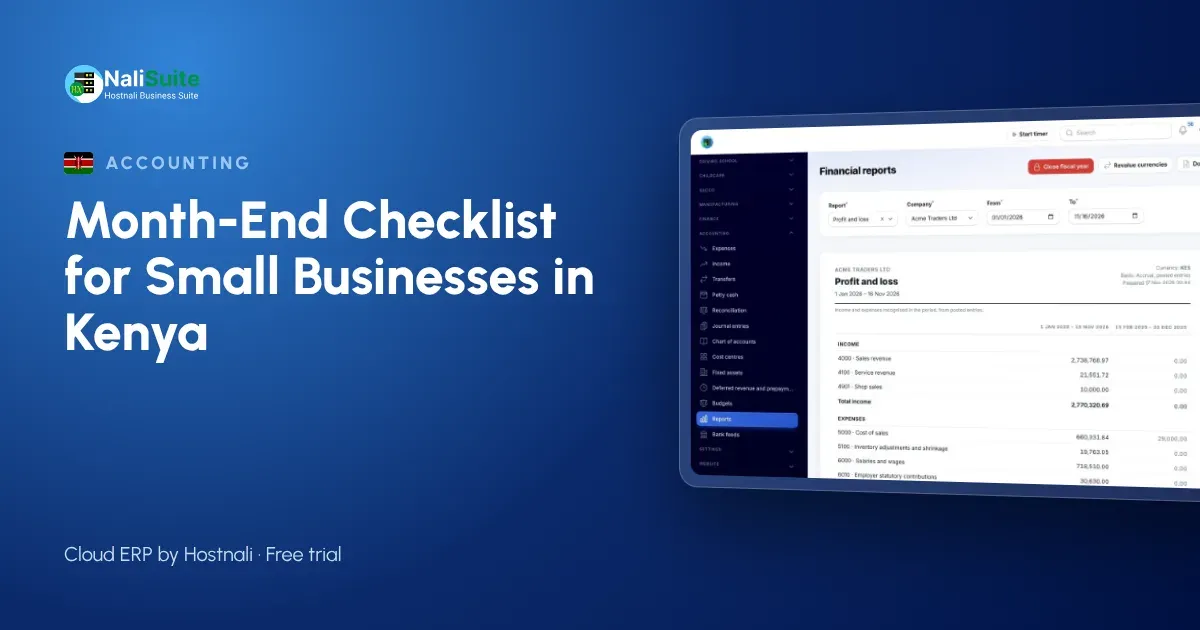
The last day of the month in a Kenyan business is usually busy for the wrong reasons. Till rolls pile up, the M-Pesa statement does not match the sales book, and someone has to work out what is owed to KRA before the deadline arrives.
A month-end close does not have to take a week. Split it across five working days, do the same jobs in the same order every month, and the numbers you get at the end are ones you can trust.
Why close the month at all?
Closing the month means agreeing that the records for that month are complete and correct, then locking them. Once they are locked, the profit figure for October stays the October figure, even if someone posts a late bill in November.
Without a close, three things tend to happen:
- Sales recorded on M-Pesa never make it into the books, so profit looks lower than it is.
- Supplier bills sit in a drawer, so profit looks higher than it is.
- VAT and PAYE figures are worked out from incomplete records and need to be corrected later.
Day 1: Money in
Start with what came in, because customers pay you in more ways than you pay out.
- Download the M-Pesa statement for every till and paybill number the business uses.
- Download the bank statement for each account.
- Match each receipt to an invoice or a till sale. Anything you cannot match goes on a short list to ask about.
- Count the cash float and compare it with the cash sales in the till report.
In NaliSuite Accounting you import the M-Pesa and bank statements and the system suggests the invoice each line belongs to. The bank and mobile money reconciliation feature explains how the matching works.
Day 2: Money out
Now collect everything the business spent.
- Gather supplier bills, including the ones on WhatsApp and in email.
- Check each bill against the purchase order and the delivery note.
- Record petty cash spending with receipts, even small amounts for fuel or airtime.
- Confirm that standing orders and loan repayments appear in the bank statement.
A bill you receive in December for goods delivered in November belongs to November. Record it with the delivery date so the month carries its real costs.
Day 3: Customers who owe you
Run the list of unpaid invoices, oldest first. For each one, decide on one action:
| Age of invoice | Action |
|---|---|
| Not yet due | Nothing, but check the due date is right |
| Up to 30 days late | Friendly reminder with the pay link |
| 31 to 60 days late | Phone call and a statement |
| Over 60 days | Payment plan, or ask your accountant about writing it off |
Every invoice in NaliSuite Invoicing carries a link to pay by M-Pesa, Airtel Money or card, so the reminder you send at month end can be paid on the spot. The mobile money payments feature covers how those payments land on the right invoice.
Day 4: Stock and staff
Stock
Count the items that matter most: the fast sellers and the expensive ones. You do not need a full stock-take every month, but you do need to know whether the system figure and the shelf figure agree for those items. Record any difference as a stock adjustment with a reason (damaged, expired, missing).
Payroll
Check that every payslip for the month has been approved and paid. PAYE, NSSF, SHIF and the housing levy should be posted as liabilities so you can see exactly what is owed. The PAYE and payroll feature shows how NaliSuite works out these deductions, and the free PAYE calculator is handy for checking a single payslip.
Day 5: Tax, reports and lock
VAT and eTIMS
If the business is registered for VAT, the standard rate in Kenya is 16%. Compare the VAT on your sales invoices with the VAT on your purchase bills, and confirm that every sales invoice was sent through KRA eTIMS. NaliSuite provides the eTIMS connection; your business uses its own KRA credentials. The KRA eTIMS page explains the set-up. Check current filing dates on the KRA website rather than relying on memory.
Read three reports
- Profit and loss. Did the month make money? Compare it with last month and the same month last year.
- Balance sheet. Are the bank and M-Pesa balances the same as the statements?
- Aged debtors. Is the amount customers owe going up or down?
Lock the period
Once the reports look right, lock the month so nobody can post into it by mistake. If a late correction is needed, your accountant can unlock it on purpose.
A worked example
Wanjiru runs a hardware shop in Nakuru with two staff. Her close used to take until the 10th of the following month. She moved to a five-day routine: statements imported on day 1, supplier bills on day 2, reminders on day 3, a count of the 40 fastest items on day 4 and reports on day 5. The first month took the full five days. By the third month, because receipts were matched every week, the close was done in two afternoons.
Common month-end mistakes in Kenya
- Treating the M-Pesa balance as profit. It is just cash; costs and unpaid bills still need to come off.
- Forgetting M-Pesa transaction charges. They are a real cost and belong in the books.
- Mixing personal and business M-Pesa. Use a separate till or paybill for the business.
- Leaving eTIMS errors for later. An invoice rejected in October is much easier to fix in October.
Frequently asked questions
How long should a month-end close take for a small business?
For a business with a few hundred transactions, two to five working days is realistic. Matching receipts every week shortens it.
Do I need an accountant to close the month?
Not for the routine steps. An accountant is useful for checking the reports, handling write-offs and preparing year-end accounts.
What if a supplier bill arrives after I lock the month?
Ask your accountant to unlock the month, post the bill with its correct date and lock it again, or post it in the current month with a note, depending on how big it is.
Can I close the month on my phone?
Yes. NaliSuite runs in the browser, so you can import statements, approve bills and read reports from a phone, though a laptop is easier for matching.
Try NaliSuite
NaliSuite brings invoicing, M-Pesa reconciliation, payroll and eTIMS into one system, so the month-end checklist above becomes a few clicks. Plans start at Ksh 250 a month with a free trial; see the plans or read more about NaliSuite.